Createtemplates once
Reusesafely
Start with an AI draft, an existing document, or text your team already uses. Turn the details that vary into structured fields, keep the core wording controlled, and reuse the result across your team, with the access and version history to stay in control.
Candidate submission
DEMO
Standard
What TemplatePoint is
TemplatePoint is a shared template platform for teams that repeatedly write similar messages, documents, or commands. Instead of copying an old file and editing it by hand, your team curates and maintains the core wording and marks which parts change — those become structured fill-in fields, while the core text remains unchanged during filling.
Who TemplatePoint is for
TemplatePoint fits anywhere a team writes the same kind of message, document, or command over and over — with only the details changing each time.
HR teams
Standardize offer letters, contracts, and onboarding emails once, then fill in the candidate's name, salary, and start date for every hire — without retyping the boilerplate or risking a copy-paste mistake.
Read more→Sales teams
Keep outreach emails, meeting follow-ups, and proposal or agreement templates consistent across the team, and personalize each one in seconds instead of rewriting it from scratch.
Customer service & call centers
Support and call center teams already work from scripted replies and macros — TemplatePoint doesn't change that workflow, it just gives everyone the same shared, always-up-to-date library instead of each person keeping their own copy-pasted notes.
IT & cloud admins
Save recurring CLI commands, Azure and cloud admin steps, and troubleshooting runbooks as templates with placeholders for the resource name, region, or subscription — so the next person reuses the same tested command structure without retyping it.
Read more→One editor, every field type you need
Write the parts that stay the same, then mark names, dates, numbers, dropdowns, or images as fields. Your team's curated wording remains unchanged while people fill in only what varies.
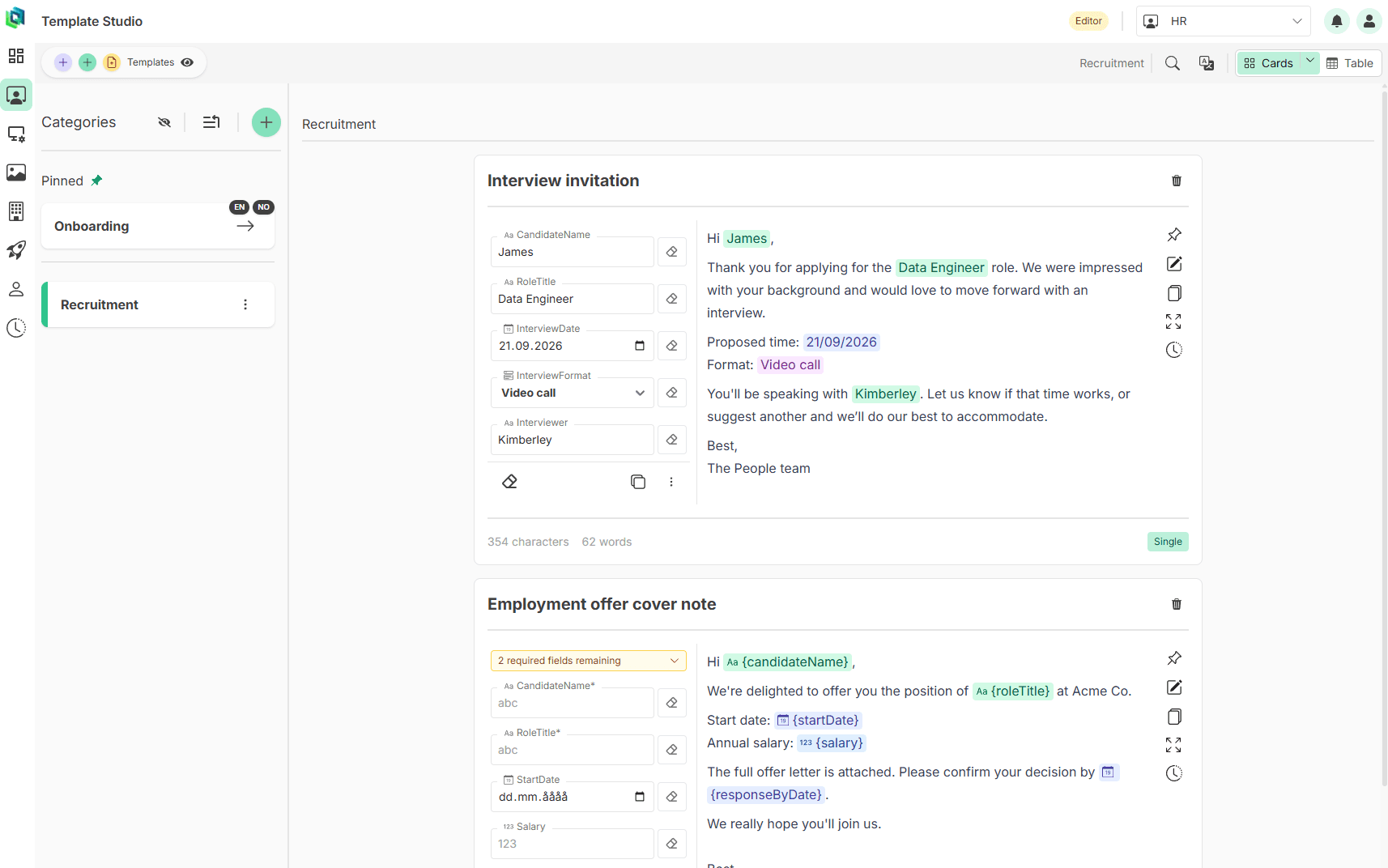
One curated template, your whole team
Organize templates into shared workspaces, control who can edit versus just fill and copy, and keep everyone working from the same up-to-date version.
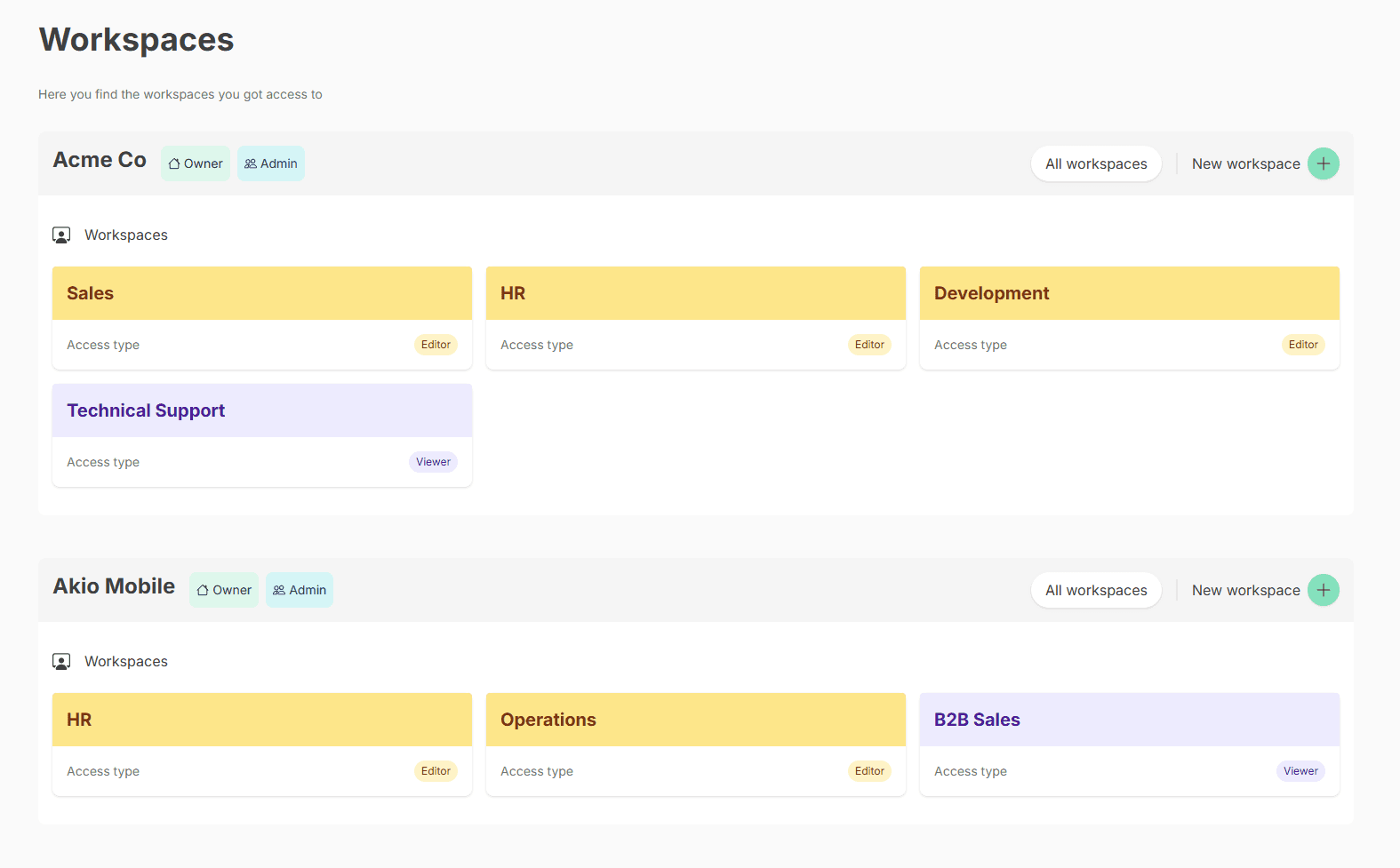
TemplatePoint Chrome extension
Use your templates without switching tabs
Search your workspace library, fill structured fields, and copy the finished text from an overlay on the page where you are working.
Governance built in
Give your team the freedom to reuse content without giving up control over access, changes and history.
Organization and workspace roles
Control who can access, edit and administer templates across your organization and its workspaces.
Granular template access
Restrict a template to editors only, or make it visible to the whole workspace — you decide per template.
Granular audit logs
Trace who did what and when across organization, workspace and personal security activity, with visibility limited by role.
Version history you can trust
Every save is kept. Restore an earlier version without losing what came after it, and know who made each change.
Private working drafts
Work on changes privately before anyone else sees them. Nothing shared changes until you're ready.
Controlled publishing
Sharing a template with your team is a deliberate action, always visible in the audit log.
Featured article
View all articles→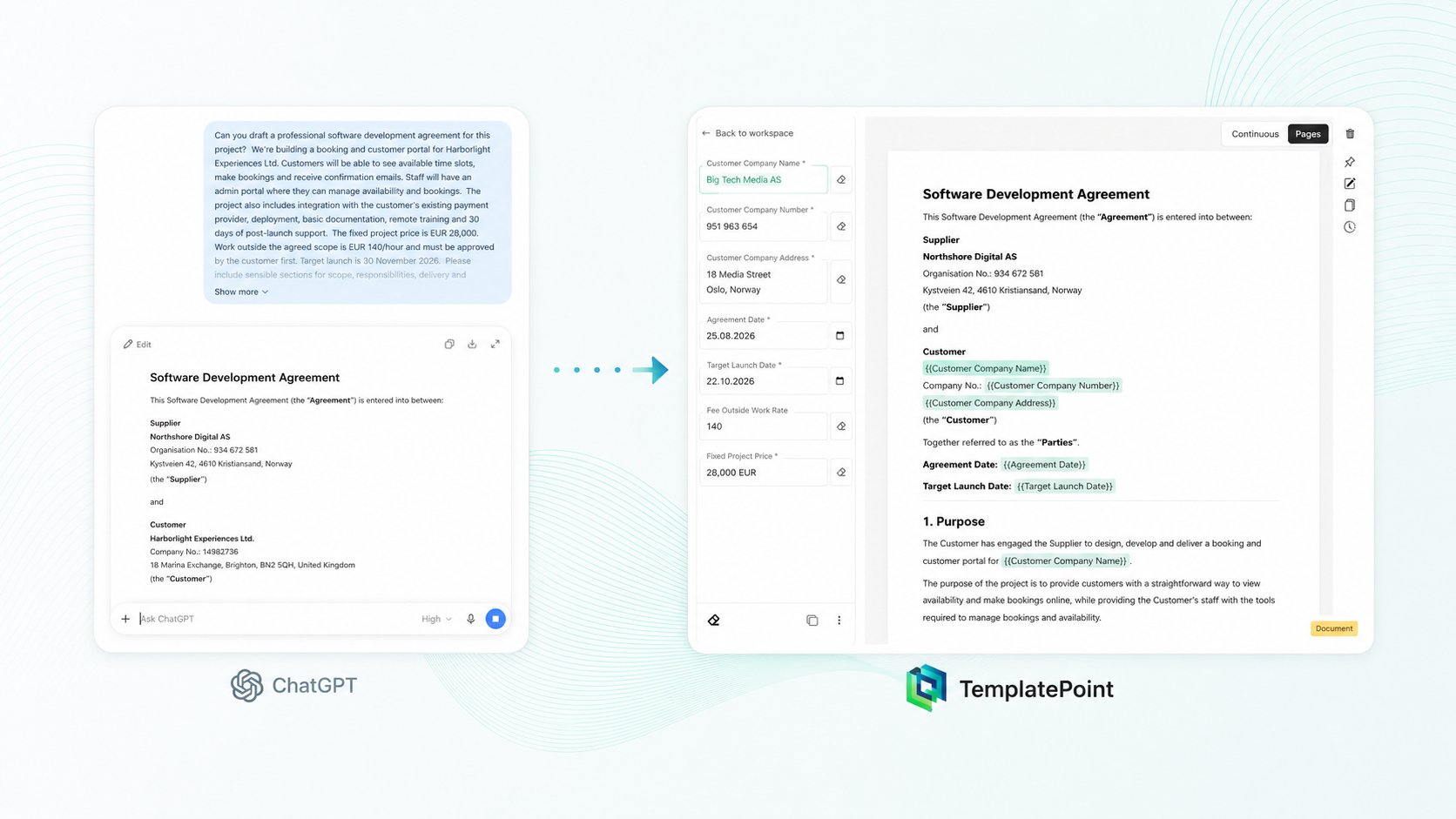
ChatGPT wrote the agreement. Now make it reusable.
Turn a ChatGPT draft into a reusable TemplatePoint workflow with linked fields, defaults, personal drafts, version history, access controls, and flexible exports.
Read more→Latest articles
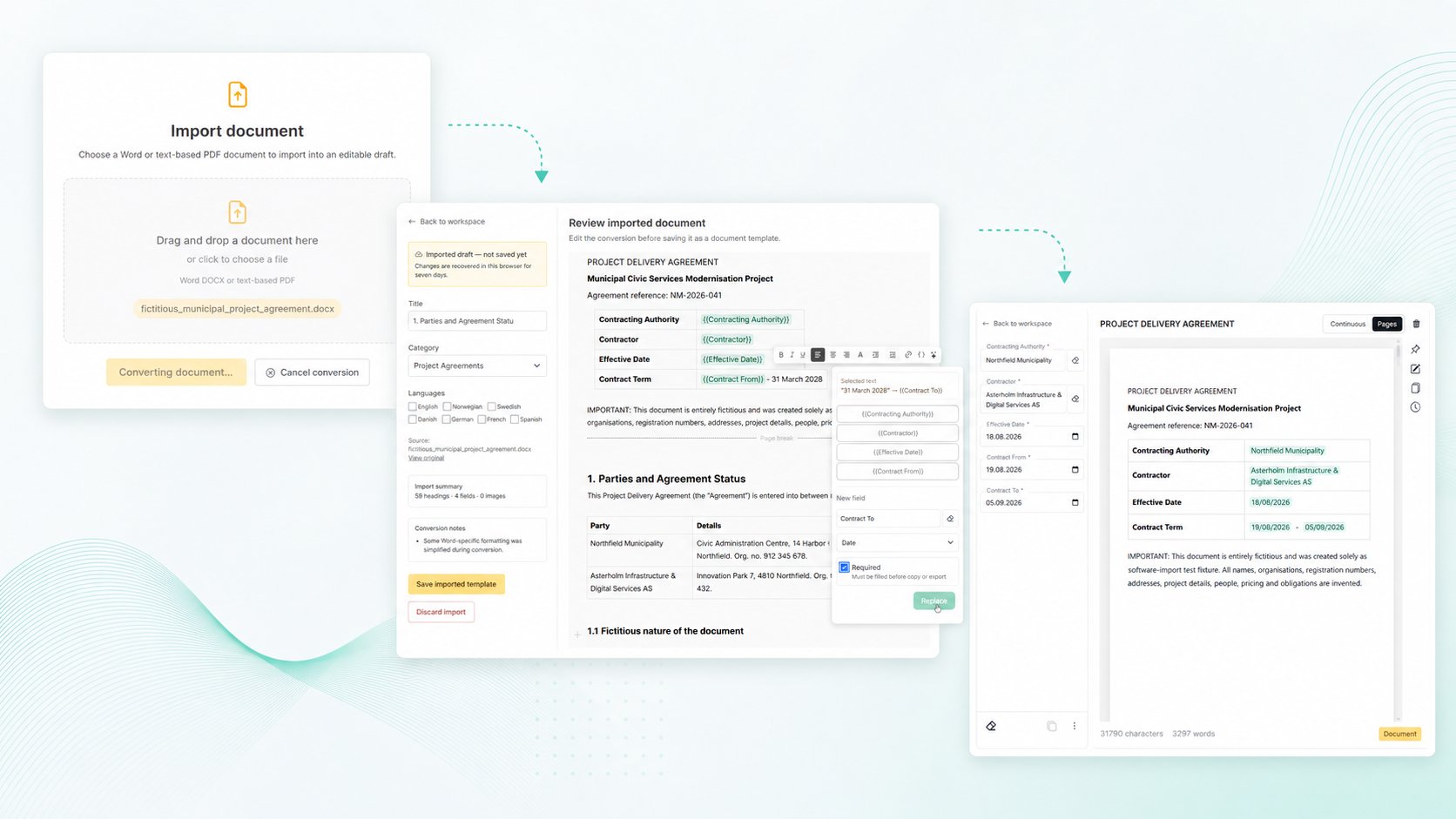
Turn old agreements into reusable templates — without bringing the last customer’s details with you
Import existing Word or PDF agreements, turn customer-specific details into structured fields, and reduce the risk of old names, dates or other information ending up in the next document.
Read more→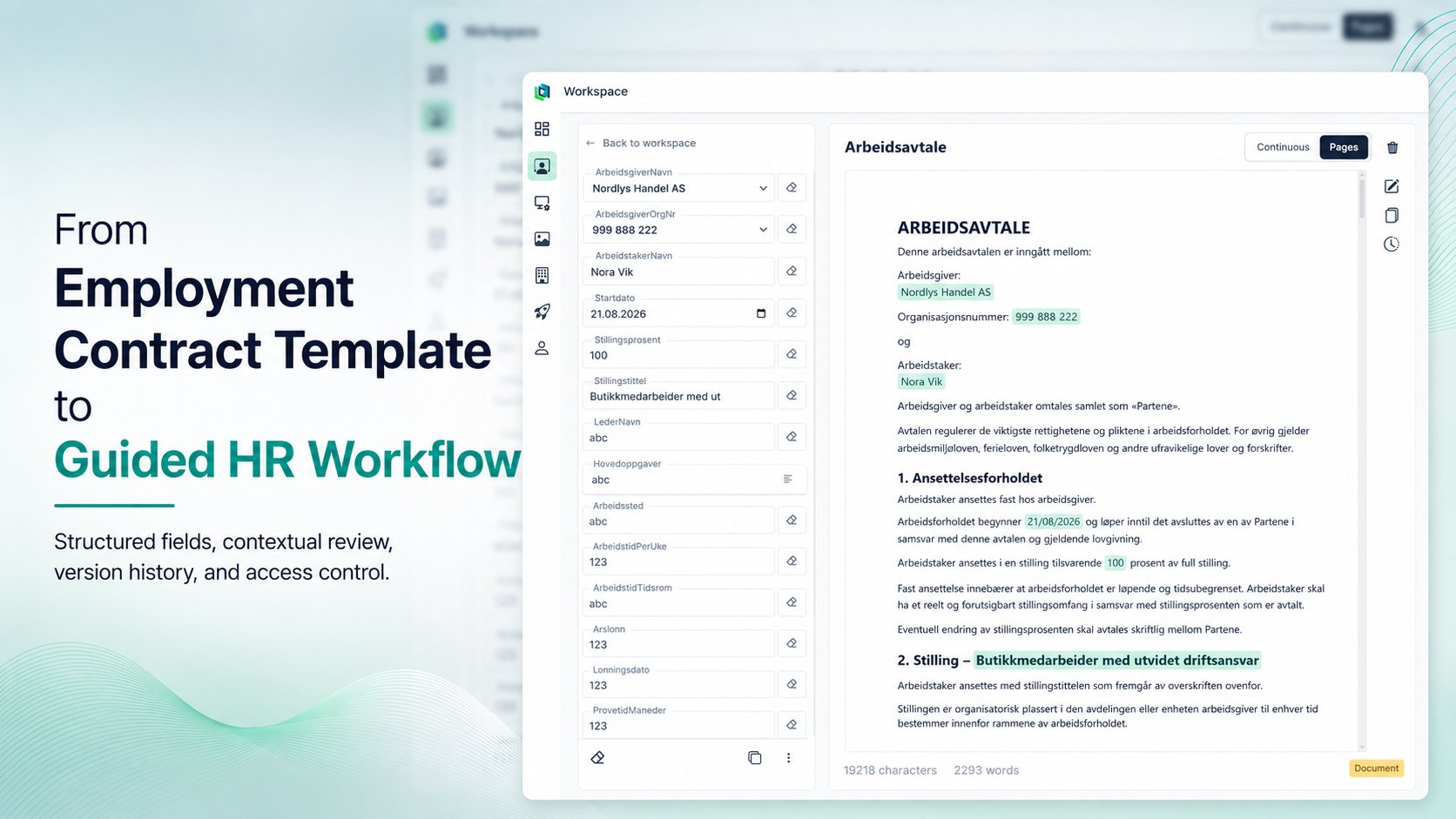
From Employment Contract Template to Controlled HR Workflow
Employment contracts often contain approved wording that should remain stable, while only a limited set of details changes for each employee. TemplatePoint turns that process into a guided workflow with structured fields, contextual document previews, version history, access control and PDF export.
Read more→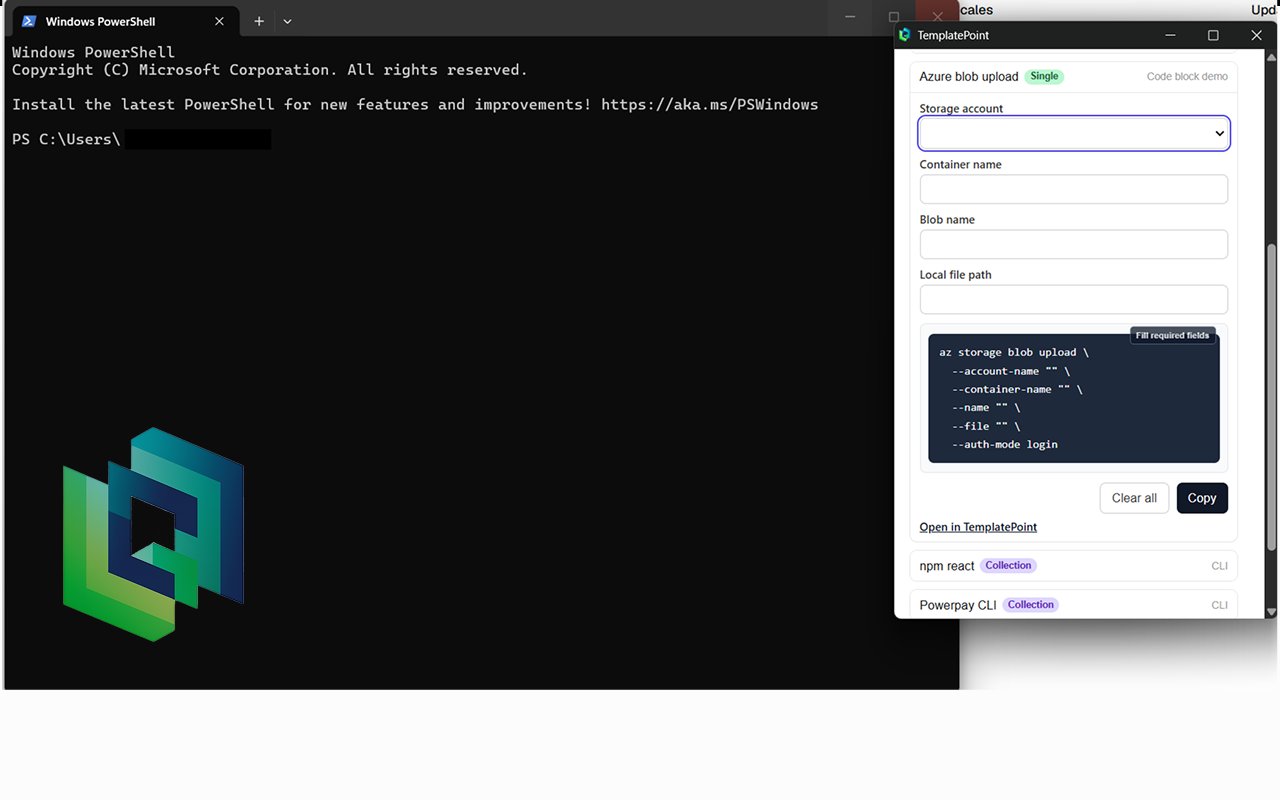
From CLI Cheat Sheets to Reusable Admin Workflows
The real problem is finding the correct command, understanding which values must change, and knowing whether the example copied from an old ticket is still the version the team intends to use.
Read more→Pricing
You can start using TemplatePoint entirely for free!
Choose the capacity your organization needs.
TemplatePoint is in early access. New organizations start on Personal, and owners can switch to Team or Business for free.
Choose a plan
Plans differ by members, workspaces, templates and Chrome extension access.
Learn about the Chrome extensionIncluded in every plan
Every plan includes the same web app capabilities. Choose based on the capacity you need and whether your organization needs the Chrome extension.
Governance and control
Create and reuse
Public publishing requires approval from a TemplatePoint administrator.